Best Card Price Alerts for Sports and Pokémon Cards (2026)
By Ripbin Research · Published 2026-11-14

Best Card Price Alerts for Sports and Pokémon Cards (2026)
The best card price alert is only as good as the number behind it. Start with Ripbin: its live values come from actual sales across more than 78,000 sports and Pokémon cards, with free scanning, free browsing and a personal locker. That gives you a trustworthy price to measure every alert against. Then add a tool that pings you when a listing drops or a value moves, matched to how you collect.
Below, we compare the real options, what each costs, and how to set up alerts that help you buy at the right price instead of chasing noise.
TL;DR
- Decide what you want to be alerted about first: a price spike on a card you own, a listing below market, or a new listing of a card you hunt. Different tools do different jobs.
- Ripbin is our pick for the foundation: live values sourced from real sales, free scanning and browsing, and a locker that keeps your collection organized.
- Subscription trackers such as Card Ladder (from $14.99/month) suit investors who want charts, indexes and alerts. Scanner-first apps such as Cards AI start at $4.99/month as of September 2026.
- eBay’s own sold listings and saved searches cover the free basics, but they only show recent sales.
- An alert is worth acting on only if it is based on completed sales, not asking prices.
Table of Contents
- What a card price alert actually does
- The data behind the alert matters more than the alert
- Best card price alert options compared
- How to choose: match the tool to your workflow
- A five-minute routine for alerts that pay off
- Mistakes that make alerts useless
- Put real sale values behind every alert
- FAQ
- Sources
What a card price alert actually does
A price alert is a notification that fires when something changes. For card collectors that usually means one of three things:
- Value alerts. A card you own moves up or down, so you know when to sell or hold.
- Deal alerts. A card you want is listed below its market value, so you can buy before someone else does.
- Listing alerts. A specific card, grade or player shows up for sale at all.
Beginners usually want the first kind: a simple way to see whether a card is gaining or losing value. Investors and flippers lean on the second and third. Sellers need the first and second together, because the right moment to list is when the market is strong.
In every case, the alert compares a live price against a threshold you set. If the price data is stale or based on what sellers hope to get rather than what buyers paid, the alert misleads you. That is why we start with the data.
The data behind the alert matters more than the alert
Two cards can both show “$150” and mean different things. One is an average of completed sales last week. The other is the middle of a range of asking prices nobody has accepted. Collectors who buy on the second kind of number overpay.
A good check when choosing any tool: does it rely on live sold comps or static estimates? A 2026 roundup of card tracker apps recommends preferring live sold comps and confirming that the app covers the specific sports or trading card games in your collection. Both points are worth following.

The free baseline is eBay. Its Sold items filter, or Advanced Search, shows sold listings from the last 90 days, and Seller Hub’s Product Research, formerly Terapeak, is free for sellers and covers up to three years of sales data, including average sold price, sold price range and sell-through rate. That is useful, but it is manual: you search, you read, you do the math. Our walkthrough on finding eBay sold prices shows how Product Research compares with looking a card up on Ripbin.
Best card price alert options compared
| Option | Best for | What it offers | Cost |
|---|---|---|---|
| Ripbin | Collectors, beginners, sellers and investors who want a trusted value first | Live values from real sales, 78,000+ cards, scanning, locker, monthly investment reports, marketplace | Free scanning and browsing; fees apply only on successful marketplace sales |
| Card Ladder | Investors who want charts and indexes | Historical price data, index-style analytics, portfolio tracking, price alerts; no camera scanning | Standalone subscriptions from $14.99/month |
| Cards AI | Scan-first collectors | Scanning, AI condition grading, overall tracker | Paid plans from $4.99/month as of September 2026 |
| CollX / Ludex | Cataloging a big pile fast | Card scanning | CollX is described as a free scanning option |
| PriceCharting | Hunters of below-market eBay deals | Saved items with notifications when listed below market value on eBay or its own marketplace | Check its page for plans |
| eBay sold items | Free manual checks | Sold listings from the last 90 days; Product Research for sellers | Free |
Prices for the other services are the ones each publishes or that a 2026 tracker roundup reports, and subscription pricing changes. Check each provider’s own page before you subscribe.
Ripbin: the value every alert should be set against
Ripbin is a card price database and marketplace built for sports and Pokémon collectors. It tracks live market values for more than 78,000 cards, and those values come from actual sales, not listing prices. You can look up value grade by grade, which matters because a PSA 10 and a raw copy of the same card can sit in completely different price brackets.
What that gives you in practice:
- Scan to price. Point your phone at a card and scan it for an instant value. No fee, no account wall for the quick look.
- Browse without fees. The card database lets you check sets, checklists and values without a browsing charge.
- A locker that stays organized. Your cards sit in one personal locker, so you always know what you hold and what it is worth against the live market.
- Monthly investment reports. Data-driven reports point to where the market is moving, such as the most actively traded cards and the most valuable trading cards for October 2026.
- Low-fee selling. When you decide to sell or trade, the marketplace charges a transaction fee only on a completed sale.
This is why we put Ripbin first. A threshold alert such as “tell me when this drops to $80” is useless if $80 is the wrong number. Ripbin gives you the right number, from sales that actually happened, and then keeps your collection in view so you know which cards deserve attention.
Card Ladder: charts and analytics for investors
Card Ladder is built around historical price data, index-style analytics and portfolio tracking, and it includes price alerts. According to a 2026 roundup of tracker apps, standalone subscriptions start at $14.99/month, and it does not offer camera scanning. It fits someone who studies long-term price curves and wants to compare a card against a market index.
If your main goal is to size up a card quickly, scan a stack, and see what you own today, a scan-first tool with live values is the faster route. If you want to go deeper on portfolios, our comparison of card portfolio trackers lays out the differences.
Cards AI, CollX and Ludex: scanning first
These apps start from the camera. CollX and Ludex support card scanning, and Cards AI adds AI condition grading and an overall tracker, with paid plans starting at $4.99/month as of September 2026, again per the same 2026 roundup. Scanning is the right entry point for anyone with a shoebox of cards and no idea what is in it. Our guide to card scanner apps that show real sale prices explains what to look for, and the Pokémon scanning guide covers the quirks of Pokémon sets, variants and reprints.
PriceCharting and tcgSniper: alerts on listings
PriceCharting’s app lets you save items you are hunting and get notified when they are listed below market value on eBay or on its own marketplace. tcgSniper, a separate tool, creates price alerts for products on TCGplayer, covering Magic: The Gathering, Pokémon and Yu-Gi-Oh! These are deal-hunting tools: they watch listings, not your collection.
Listing-watch alerts are only as smart as their definition of “market value.” Before you act on a “below market” ping, confirm the card’s recent completed sales and its grade on Ripbin, then decide.
eBay saved searches and sold items: the free basics
Everyone can start with eBay. Search the exact card, filter to sold items and read the last 90 days. For sellers, Product Research stretches that view to three years. It costs nothing, but it is manual and tied to one marketplace. It is a fine second opinion and a poor substitute for a database that already assembled the sales for you.
How to choose: match the tool to your workflow
The 2026 guides agree on one idea: match the tool to what you actually do. A sports card app review notes that active eBay sellers need listing integration and cost tracking, while collectors cataloging a pile mostly need fast scanning.
Here is a simple way to decide.
You are a beginner with a few cards. Start with a free scan on Ripbin. You learn what each card is, what it sold for and how grade changes the number. You do not need alerts yet.
You are a collector building a set or chasing a player. Keep your cards in a Ripbin locker so you see total value at a glance, and use the card database to check checklists and values. Add a listing-watch tool only for the few cards you hunt.
You are an investor. Use Ripbin’s monthly reports and top card markets by player to decide where to look, then check best sports cards to buy for current ideas. A charting subscription can sit on top if you want index-style views. For Pokémon specifically, read the Pokémon card investing guide.

You are a seller. Alerts matter less than timing and fees. Check live values, list when the market is strong, and keep the cost low. Our guides on how to sell sports cards and where to sell sports cards walk through the choices.
A five-minute routine for alerts that pay off
- Scan or search the card. Confirm the exact set, year, variant and grade. A wrong parallel can mean a ten-fold price error.
- Read the sold values by grade. Use completed sales, not asking prices.
- Set your number. Decide the price at which you would buy, or the price at which you would sell, and write it down.
- Choose one alert source. More than one just creates noise.
- Re-check before acting. When an alert fires, look at the latest sales once more. Prices in hot cards can move in days.
The habit of checking sold data before you act is worth more than any notification. Our piece on tracking card prices in 60 to 90 seconds shows how to do this fast. For a wider tour of the tool, see our card price tracker overview.
Mistakes that make alerts useless
- Alerting on asking prices. A listing at $200 means a seller wants $200. It tells you nothing about what buyers pay.
- Ignoring grade. A raw card and a graded one are different products. Any alert that mixes them is noise.
- Skipping variants. Parallels, short prints and reprints share names but not prices.
- Setting too many alerts. Ten cards you truly care about beat a hundred you will mute.
- Forgetting fees. The price you see is not the price you keep. Compare what each marketplace takes before you decide where to list.
Our view on card price alerts
We built Ripbin around a simple belief: collectors lose money when they trust the wrong number. Most of the questions we hear boil down to one thing: what is this card actually worth right now?
That is why our values come from real sales, why scanning and browsing are free, and why we keep marketplace fees low on completed sales only. An alert is a great habit, but it is a second step. The first step is knowing what a card sells for, by grade, in a database that is built from the sales themselves.
Put your cards in a locker, watch the monthly reports for where the market is heading, and let the data tell you when to hold and when to sell.
Saad
Put real sale values behind every alert
If you want one place to start, scan a card on Ripbin and see its live value in seconds. Your locker keeps the whole collection organized, and when it is time to sell, you pay a transaction fee only when a sale completes.
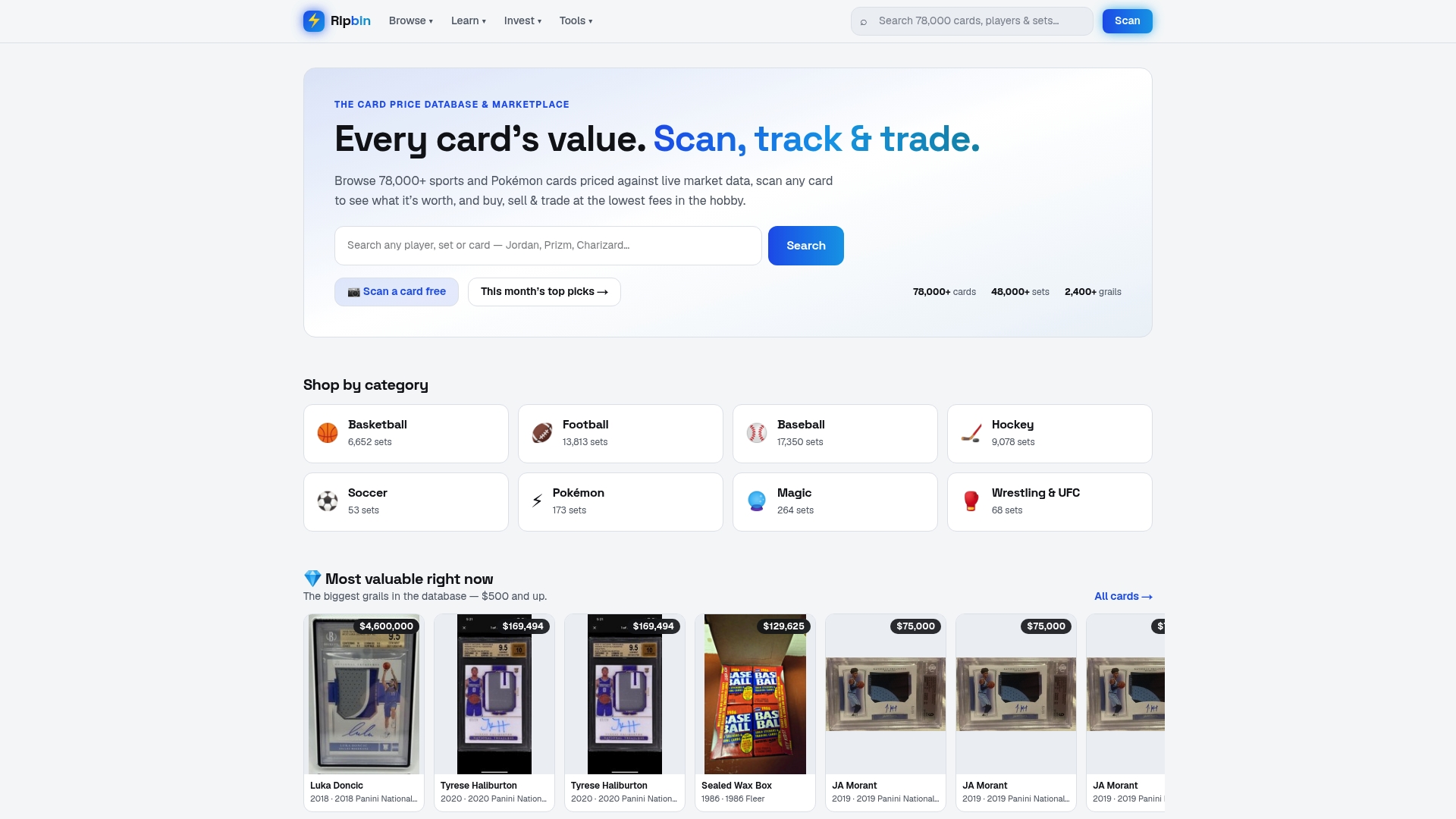
Scan a card on Ripbin to see what it sold for, or open Ripbin to browse values, build your locker and read the latest market research.
FAQ
What is the best app for card price alerts?
It depends on the alert. For a trustworthy value to set alerts against, Ripbin’s live sale-based values across 78,000+ cards are our pick. For index-style charts and portfolio analytics, investors often look at Card Ladder, which starts at $14.99/month. For below-market listing pings, PriceCharting’s app notifies you when saved items are listed under market value on eBay or its own marketplace.
Are card price alerts free?
Some of the groundwork is. Ripbin scanning and browsing are free, eBay’s sold items filter is free, and Seller Hub’s Product Research is free for sellers. Full alert and analytics tools are typically subscriptions: Cards AI plans start at $4.99/month as of September 2026 and Card Ladder at $14.99/month. Check each provider’s page for current pricing.
How do I know a price alert is accurate?
Check that the value comes from completed sales, not asking prices, and that it matches your card’s exact set, variant and grade. Then look at the most recent sales before you buy or sell. Ripbin’s values are sourced from actual sales, so they work well as that reference.
Can I use eBay sold listings instead of an app?
Yes, for quick checks. The Sold items filter shows the last 90 days of sales, and sellers get up to three years through Product Research. The trade-off is time: you read and compare each result yourself, while a database that already gathers sales gives you the number in seconds.
Do price alerts work for Pokémon cards as well as sports cards?
Many tools cover both, but coverage varies, so confirm that the tool supports the specific sports or trading card games you collect. Ripbin tracks both sports and Pokémon cards, and our Pokémon scanning guide shows how to identify and price them.