Ripbin: The Card Scanner App That Shows Real Sale Prices Instantly
By Ripbin Research · Published 2026-10-03

Ripbin: The Card Scanner App That Shows Real Sale Prices Instantly
If you want one app that scans a card, tells you what it is worth, and tracks it in your collection, Ripbin is our recommendation for most collectors. We built the app around live, sale-sourced pricing and a scan-to-value workflow rather than static price guides. Dealers running thousands of cards through a desktop pipeline, or anyone just digitizing paper receipts, will likely want a different category of tool entirely.
TL;DR:
- Scan-to-value apps like Ripbin use sale-sourced pricing and accurate recognition databases to provide realistic card valuations, unlike generic image-only scanners.
- High-volume dealers benefit from duplex automatic feeders that process hundreds of cards quickly, while collectors usually prefer phone-based apps for individual scans.
- Reliable valuation relies on sale data rather than listing prices, with features like grade-specific and provenance information improving accuracy.
- Proper image quality, including 400 dpi resolution and diffuse lighting, is crucial for identification accuracy, especially on reflective or holo cards.
- Linking payment information to marketplace apps is safe only if privacy policies and data security measures are reviewed beforehand.
Table of Contents
- Quick picks: which tool fits your collecting style
- How to choose a card scanner app: a practical checklist
- Scanning and image-quality settings that actually improve recognition
- Which app features actually affect your valuation accuracy
- Ripbin spotlight: how our features match what collectors actually need
- When to trust an app, and when to call in a pro grader
- Ready to scan, value, and manage your own collection
- FAQ
- Sources
Quick picks: which tool fits your collecting style
Not every collector needs the same setup. Picking the right tool starts with being honest about your volume and your goal: tracking a personal collection, flipping a few cards a month, or processing bulk inventory for resale.
- Scan-to-value and collection tracking: We recommend Ripbin for collectors who want to scan a card, see a current market value pulled from actual sales, and keep a running locker of their collection in one place.
- High-volume dealer batches: A desktop duplex automatic document feeder paired with a batch-scanning pipeline, the kind of setup described in open-source projects like ScanDeck, suits sellers processing hundreds of cards a week.
- Simple digitization: A general-purpose document scanner app, such as the scan tools built into Adobe or Google’s mobile apps, works fine if you only need an image file and don’t care about pricing or identification.
- Fast marketplace listing: Marketplace-integrated scanners, like the card-scanning feature eBay built into its app, help auto-populate a listing but still require you to confirm condition and set your own price.
The distinction that matters most is whether the tool treats scanning as the whole job or as the first step. A document scanner stops at the image. A valuation-first app like Ripbin uses that image to pull a price, which is the part most collectors actually care about. If you’re deciding between a scanner built for speed and one built for accuracy, ask what happens after the scan: does the app hand you a number backed by recent sales, or just a picture?
Dealers moving large batches often still want a desktop pass before listing, since a duplex feeder can process a stack of cards faster than a phone camera held over one card at a time. But for anyone managing a personal or mid-size collection, a phone-based app that pairs scanning with pricing removes a manual pricing step that used to mean checking several sites by hand.
How to choose a card scanner app: a practical checklist
Before you commit to an app, run it through the same six checks, in order. Skipping the valuation source check is the most common mistake collectors make, since a slick interface can hide a weak pricing engine.
- Identification accuracy. Check how many cards and sets the database covers, and whether it recognizes modern parallels, foils, and international print runs, not just common base cards.
- Valuation source. Confirm whether prices come from actual completed sales or from scraped listing prices, which tend to run high because sellers list above what buyers actually pay.
- Workflow fit. Look for batch scanning, automatic front and back pairing, and export options that match how you plan to track or list cards.
- Image controls. Test whether the app lets you control flash, focus distance, and cropping, since poor image capture is the leading cause of misidentified cards.
- Pricing and fees. Read the fee structure for browsing, scanning, and selling before you commit. Some platforms charge to browse price data, not just to transact.
- Privacy and payment protections. Review the app’s privacy policy and how it handles stored payment information before linking a card or bank account, following the FTC’s guidance on shopping apps.
Pro Tip: Scan the same card in two different apps before trusting either one. If the valuations differ by more than a small margin, dig into whether one is pulling sale-sourced data and the other is pulling listing prices.
The fee question deserves extra attention because it is where collectors lose money without noticing. Some apps charge nothing to scan but add transaction fees so high they erase your margin on a sale, while others charge for the privilege of simply browsing a price database. Reading the fee schedule before you commit to a platform saves you from a bad surprise at checkout.
Privacy matters more than most collectors assume, especially once an app starts handling payment details for marketplace transactions. The FTC warns that shopping apps should be checked for how they store payment information and that unauthorized charges carry limited liability caps, but only if you report them promptly to your card issuer and the FTC.
Scanning and image-quality settings that actually improve recognition
The single biggest lever for scan accuracy isn’t the app you choose. It’s the quality of the image you feed it. A blurry or glare-heavy photo will confuse even the best identification engine, no matter how large its database is.
For trading and sports cards specifically, a 400 dpi, color, JPEG workflow with automatic crop and a small margin is a practical starting profile. Reserve 600 dpi or TIFF for archival scans or close inspection of print details, since those file sizes add up fast without improving everyday recognition accuracy.
- Resolution: Stick to 300 to 400 dpi for everyday scanning and valuation; push to 400 dpi when you need to catch fine print or centering details.
- Lighting: Use diffuse, even lighting rather than a single overhead bulb or direct flash, which tends to wash out detail on glossy cards.
- Holo and foil cards: A slight tilt technique, angling the card a few degrees while scanning, reduces glare that otherwise confuses recognition software on reflective surfaces.
- Single-card checks first: Preview one card to confirm exposure and focus are correct before running a full batch, especially under new lighting conditions.
- File naming: Pair front and back images with a consistent naming convention so condition notes and back-print details stay attached to the right card.
For reflective or holo cards, consistent diffuse lighting and a tilt technique reduce false negatives in recognition models more effectively than simply increasing resolution. That single adjustment solves more misidentifications than any dpi setting.
If you’re processing a large collection at once, a duplex automatic document feeder changes the math entirely. The open-source ScanDeck project documents a workflow where a duplex scanner captures front and back images in one pass, outputting numbered pairs at 600 dpi with consistent naming, which is the kind of setup that makes sense once you’re processing hundreds of cards rather than a handful. For most collectors scanning one card at a time on a phone, that level of infrastructure is overkill. For a dealer prepping a bulk listing, it can cut hours of manual file matching down to minutes.

Which app features actually affect your valuation accuracy
Not every feature on a scanner app’s marketing page changes the number you see after a scan. A few do the heavy lifting, and knowing which ones separates a useful valuation from a misleading one.
- Sale-sourced pricing feeds pull from completed transactions rather than active listings, which matters because listing prices routinely sit above what cards actually sell for.
- Grade-by-grade pricing lets you see how a PSA 9 versus a PSA 10, or a raw card versus a graded one, changes value, instead of giving you one blended number.
- Provenance and transaction history show you when a price was last recorded and from what kind of sale, which tells you how much to trust a given figure.
- Export and listing integrations reduce the manual re-entry that causes pricing and condition errors when you move a card from your tracker to a marketplace listing.
- Offline versus cloud-dependent scanning affects how usable an app is at a card show with spotty service, and whether your collection data stays under your control.
The gap between sale-sourced pricing and scraped aggregate pricing is the one that costs collectors real money. An app pulling from active listings will often overstate value, since it’s averaging what sellers are asking rather than what buyers actually paid. When you’re deciding whether to sell a card today or hold it, that difference between asking price and sale price can be the difference between a fair deal and a stalled listing. Marketplace-integrated scanning tools, like the feature eBay rolled out to help sellers auto-populate listings, speed up the listing process but still leave pricing judgment to the seller, which is exactly where sale-sourced data earns its keep.
Ripbin spotlight: how our features match what collectors actually need

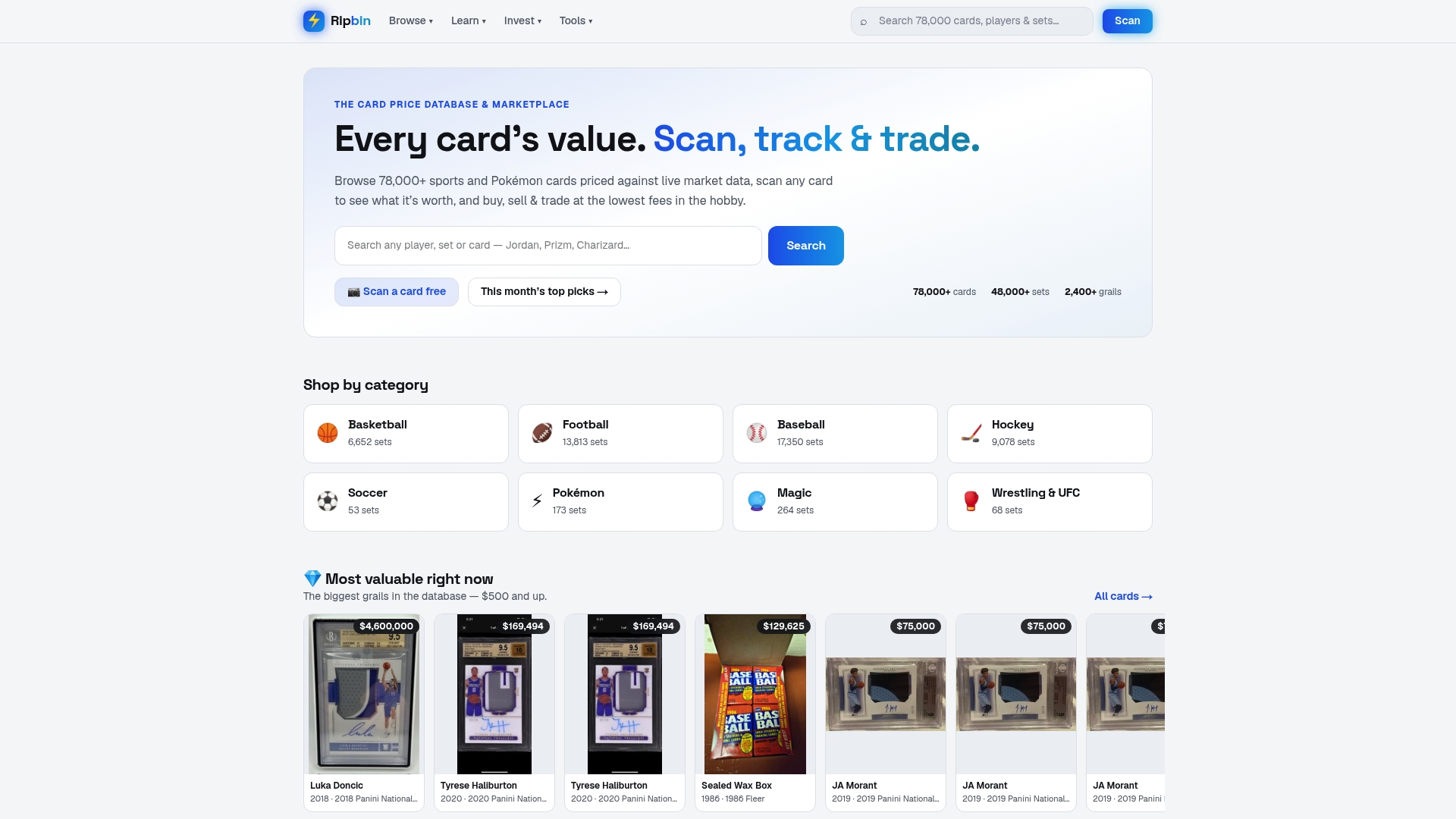
We built Ripbin as a card price database and marketplace covering live market data across a broad card selection, with pricing drawn from real sales rather than listing estimates. That single design choice runs through every part of the checklist above.
On identification, our database spans sports and Pokémon cards across a wide range of sets, so a scan returns a specific card rather than a generic match. On valuation, we source pricing from actual completed sales, which means the number you see reflects what buyers really paid, not what sellers hope to get. Our instant scanning feature gives you a worth assessment the moment you capture a card, and that same card then lives in your personal collection locker, where you can track its value over time without re-scanning it every time you check.
We eliminate browsing fees and minimize transaction fees, aiming to make tracking, managing, and transacting cards cheaper and easier than on competing platforms.
We also fold market analysis into the experience. Our investment reports use the same sale-sourced data to flag cards that look undervalued relative to recent trends, which turns a simple scan-and-track habit into a research tool for collectors who want to buy and sell with more confidence.
When to trust an app, and when to call in a pro grader
An app earns its keep for triage: scanning a stack of cards to see what’s worth keeping, tracking value shifts over months, and handling routine mid-market sales where a few dollars of pricing variance doesn’t change your decision. That covers most of what a typical collection needs day to day.
The calculation changes once a card’s value or its authenticity is in question. A card you suspect is worth several hundred dollars or more, or one where provenance is unclear, deserves a professional grading and authentication service before you sell it, since an app’s valuation is only as good as its ability to confirm condition and legitimacy.
The two approaches work best together rather than as a choice between them. Use an app for ongoing market checks and routine sales, and reserve professional grading for the handful of cards in any collection where getting it wrong actually costs you money.
— Saad
Ready to scan, value, and manage your own collection
Scanning a card should take seconds, and knowing what it’s actually worth shouldn’t require checking three different websites. That’s the gap we built Ripbin to close: scan a card, see a value pulled from real sales, and watch it sit in your collection locker alongside everything else you own.
- Browse values now: Head to our card browsing page to search sets, checklists, and current values before you scan a single card.
- Go deeper on strategy: If you collect sports cards with an eye toward long-term value, our guide to investing in sports cards walks through how to read market signals.
- Managing live listings: If you’re also running auctions elsewhere, a tool like Checkout Saver’s eBay bid sniper can help you manage last-second bidding without watching a clock all day.
Scan your first card, check the value against a recent sale, and decide from there whether it belongs in your locker or on the market.
FAQ
What is the best app to scan cards for value?
For collectors who want a scan paired with a value pulled from actual sales, Ripbin covers a large card database with live, sale-sourced pricing and a built-in collection locker. The right choice ultimately depends on whether you need valuation, bulk digitization, or marketplace listing speed, since those are different jobs.
Which app is better for scanning and valuing cards?
The better choice depends on what you’re optimizing for: a valuation-first app like Ripbin pulls pricing from real sales, while marketplace-integrated scanners prioritize speed of listing creation over pricing depth. If accurate, sale-sourced value matters more to you than listing speed, a dedicated valuation app is the stronger fit.
What is the best app for scanning credit cards?
Scanning credit cards for payment autofill is a separate function from scanning trading cards, and it’s typically handled by your phone’s built-in camera-to-form feature or a payment app rather than a collectibles tool. Whichever app you use, check its privacy policy and payment handling first, since the FTC advises reviewing how an app stores card details before you save them.
What is the best scanner for scanning trading cards?
For everyday scanning, a smartphone camera with good lighting and a 400 dpi equivalent capture is sufficient for identification and valuation apps. For high-volume batches, a duplex automatic document feeder, the kind of setup documented in projects like ScanDeck, captures front and back images faster than a phone held over each card individually.
Is it safe to link a payment method to a card scanning or marketplace app?
It can be, as long as you review the app’s privacy policy and confirm how it secures stored payment data before linking an account. The FTC notes that unauthorized card charges carry limited liability, but only when you report the issue promptly to your card issuer and the FTC.
Sources
- Using a Shopping App | Consumer Advice
- Best scanner settings for trading cards | Pokémon & Sports Cards 2026
- eliseorobles/ScanDeck
- eBay’s app will soon be able to scan Pokémon cards to sell them more easily | The Verge