78,000+ Cards Tracked: Our Card Price Tracker for Collectors & Investors
By Ripbin Research · Published 2026-10-04

78,000+ Cards Tracked: Our Card Price Tracker for Collectors & Investors
The best approach pairs a live, sales-sourced price database with built-in portfolio management, and Ripbin is the tool we recommend for that job. It suits collectors who check prices often and investors who need grade-by-grade values, while a spreadsheet still makes sense if you want full manual control over a small, static collection.
TL;DR:
- Ripbin tracks over 78,000 cards with live, sales-sourced data separated by grade, providing accurate values for both raw and graded cards.
- The platform offers grade-specific pricing, buy reports, and organized collection lockers to support both collectors and investors.
- Ripbin eliminates browsing fees and uses actual sales data instead of asking prices, ensuring transparency and reliability.
- Setting up a collection takes minutes, with options to scan physically, import CSVs, or manually add cards, and alerts can be customized for high-priority cards.
- The best tool combines live sales data, instant scanning, and portfolio management, most often used together for accuracy, control, and convenience.
Table of Contents
- What to look for in a card price tracker
- Mobile apps, marketplaces, and spreadsheets compared
- How to choose the right tracker for your goals
- Ripbin spotlight: how Ripbin meets the evaluation criteria
- Quick setup: track your first 50 cards
- Author perspective: balancing convenience and accuracy
- Start tracking and trading with Ripbin
- FAQ
What to look for in a card price tracker
Not every tracker pulls prices the same way, and that difference decides whether the number on your screen means anything. Before you commit to one, run it through a short checklist.
The first question is where the price comes from. Some tools show daily averages pulled from completed sales, others estimate values with an algorithm, and a few just mirror a single marketplace’s asking prices. Sold-price data tends to reflect what a card actually trades for, while asking-price feeds can run high.

Scan reliability matters just as much. A tracker that recognizes a card instantly, across sports cards, Pokémon, and other trading card games, saves you from typing set names and numbers by hand every time you add something new.
Grading detail separates casual trackers from serious ones. A card’s PSA 10 value and its raw value can differ by a wide margin, so the tool needs to show PSA, BGS, and CGC grades as distinct price points rather than one blended number.
- Portfolio tools: bulk import, folders, valuation history, and profit/loss reporting save hours over manual entry.
- Alerts: price-change thresholds and percentage-move notifications let you catch a spike without watching the app all day.
- Costs: check whether browsing is free, what a premium tier unlocks, and whether the marketplace charges a transaction or listing fee.
- Transparency: look for a stated data source, a rough sense of coverage size, and any first-party reporting that backs up the numbers.
Pro Tip: Test any tracker on a card you already know the value of. If the number looks wrong on a card you understand, trust it less on everything else.
Mobile apps, marketplaces, and spreadsheets compared
Three solution types cover most of what collectors use, and each one optimizes for a different priority: speed, depth, or control.
- Mobile apps excel at quick scans and daily price checks. Most are built for convenience, but many gate grade-level detail or deeper history behind a paywall, and coverage can thin out fast outside major sports and the biggest TCGs.
- Marketplaces and databases combine live, sales-sourced values with the ability to actually buy, sell, or trade in the same place. The tradeoff is a transaction or browsing fee on some platforms, though the research depth and built-in liquidity often make up for it.
- Spreadsheets give you total control over layout, formulas, and categories, and collectors and flippers often sell templates with profit/loss dashboards and grading fields built in for PSA, BGS, and CGC cards. The catch is that you update every price by hand, which gets unworkable once a collection passes a few hundred cards.
If you’re doing a one-off check before a trade, an app’s scan feature wins on speed. If you’re actively flipping cards for profit, a marketplace-linked database shortens the path from research to sale. If you’re filing taxes or reconciling a year of transactions, a spreadsheet’s flexibility is hard to beat. The real tradeoff running through all three is accuracy versus convenience versus control, and most serious collectors end up using two of the three together rather than picking just one.
How to choose the right tracker for your goals
Match the tool to what you’re actually trying to do, not just what looks polished in an app store listing.
A casual collector who checks a handful of cards a month needs speed and low friction more than deep analytics, so a scan-first app or a lightweight database view usually covers it. A flipper moving cards weekly needs live sold-price data, fast alerts, and a way to list or sell without leaving the tool. A long-term investor needs grade-by-grade history, exportable records, and some form of research or buy-report content to spot opportunities before they’re obvious.
Before you pay for a subscription or accept a marketplace fee, ask a few direct questions:
- Does the price shown reflect actual completed sales, or an estimate?
- Can I export my full collection to CSV if I switch tools later?
- Are grade-specific prices (PSA, BGS, CGC) shown separately, or lumped together?
- What exactly triggers a fee, browsing, listing, or only a completed sale?
A few red flags should make you walk away: pricing that changes without explanation, no way to see grade-by-grade breakdowns, and no export option that would let you leave with your own data intact.
Ripbin spotlight: how Ripbin meets the evaluation criteria
78,000+ cards tracked with live market data sourced from actual sales. That scale means most of what a typical collection holds, from modern rookies to vintage, shows up with a real price history instead of a blank search result.
For investors, we go a step further than a basic price lookup:
- Grade-by-grade pricing separates PSA, BGS, and CGC values so a raw card and a graded one never get confused.
- Monthly buy reports, like our best sports cards to buy roundup, turn tracking into active research rather than passive price-watching.
- Category guides, including a Pokémon card investing guide, give collectors focused on one market a starting point for strategy.
- We eliminate browsing fees entirely and source our values from actual sales data, not asking prices, which is the transparency standard we hold ourselves to.
Collectors use the locker to see what they own at a glance, while investors lean on the buy reports and grade-specific pricing to decide what to add next. Both groups are working from the same live data, just reading it differently.
Quick setup: track your first 50 cards
Getting your collection into a tracker takes less time than most people expect if you work through it in order.
- Create your account and set your defaults: preferred currency, default grading company if most of your cards are graded, and how you want to receive alerts.
- Add your first cards using whichever method is fastest for your situation: scan physical cards one at a time, bulk-import a CSV if you’re moving from a spreadsheet, or manually enter set, card number, and grade for anything you can’t scan.
- Organize cards into folders by purpose rather than just by sport or set, so an “investing” folder stays separate from a “player collection” or “for trade” folder.
- Build a watchlist of your 15 to 20 highest-priority cards and set alerts for meaningful price moves rather than every small fluctuation.
- Export a CSV backup at the end of each month, both to keep a local copy and to make tax or profit/loss reconciliation easier later.
If you’re storing graded cards physically while you track them digitally, a dedicated display case keeps them protected and easy to inventory against your digital locker.
Pro Tip: Set a recurring weekly reminder to review your watchlist instead of checking prices daily. Most cards don’t move enough day to day to justify the habit.
Author perspective: balancing convenience and accuracy
My own routine is simple: check prices before any trade, then do a full portfolio review once a week. Data-source transparency matters more to investors than any app feature, because a number pulled from actual sales tells you something a guess never will. If you do one thing today, confirm where your tracker’s prices actually come from.
— Saad
Start tracking and trading with Ripbin
We built a tool to scan, value, track, and trade cards in one place, with a portfolio locker that keeps your whole collection organized. Visit us to scan a card for free, browse live values across our database, or check our latest invest reports for buy ideas.
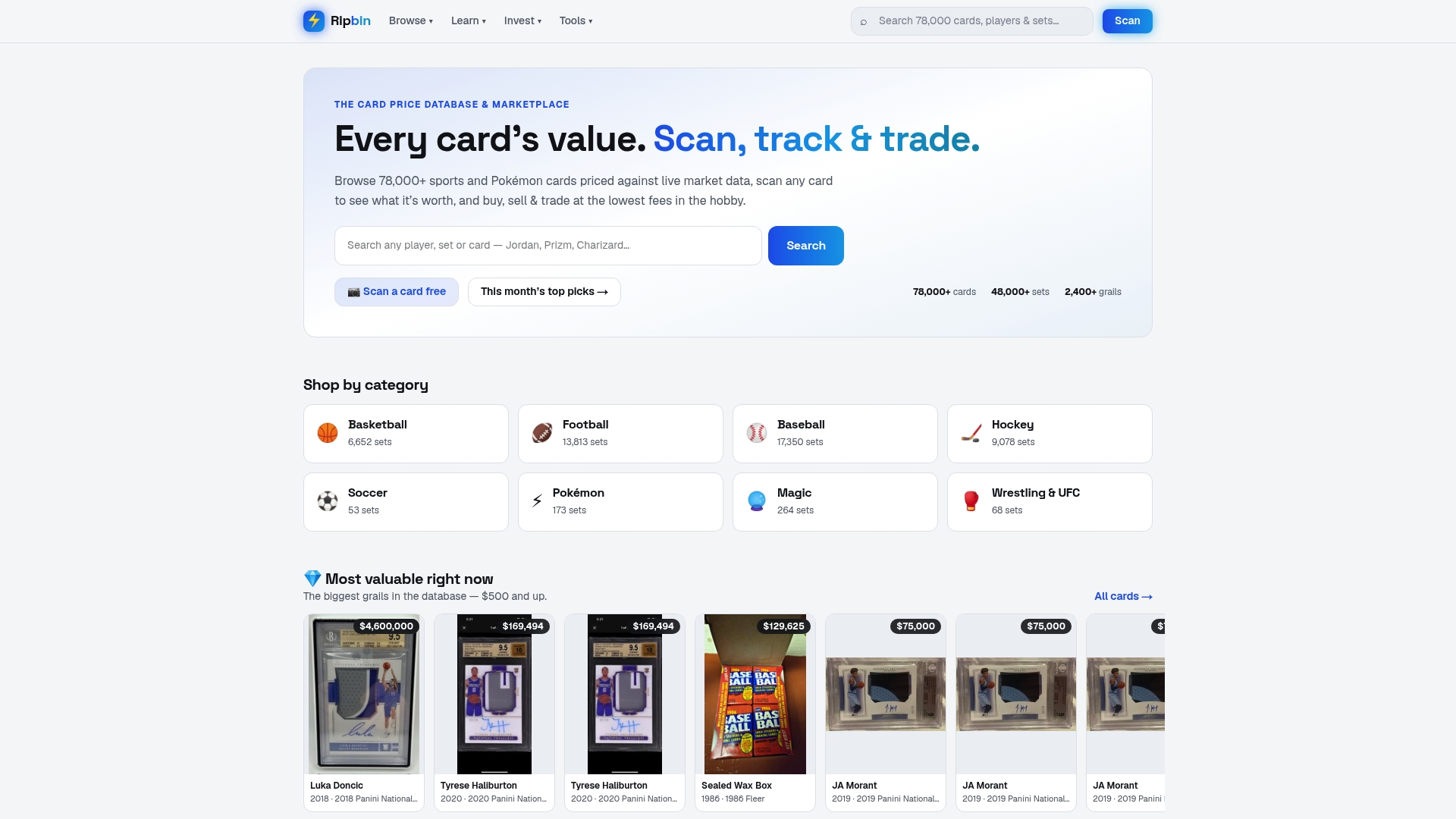
Head to Ripbin’s browse page to look up your first set of cards and see live, sales-sourced values firsthand.
FAQ
What is the best app to track the price of cards?
The strongest option combines live, sales-sourced pricing with scanning and portfolio tools in one place, which is the model Ripbin uses across sports and Pokémon cards. A dedicated scanning app can work for quick checks, but it often lacks the grade-by-grade detail serious collectors need.
What is the best card price checker?
A reliable price checker shows sold-price history rather than asking prices, and separates values by grading company. Ripbin’s database covers over 78,000 cards with that kind of grade-specific breakdown built in.
Is the TCGTracker worth it?
Whether any single tracker is worth it depends on whether it shows sold-price data, grade-by-grade values, and export options, since those features matter more than brand name alone. Compare it against that checklist before subscribing to anything.
What is the best card tracker app?
Look for an app that scans cards instantly, pulls live sold-price data, and lets you organize a portfolio with folders and alerts. Tools that combine scanning with a full price database, rather than scanning alone, tend to give a more complete picture of what your collection is worth.
How do price alerts work for trading cards?
Price alerts notify you when a card’s value crosses a threshold you set, either a fixed price or a percentage move. Setting alerts only on your highest-priority watchlist cards, rather than your whole collection, keeps the notifications useful instead of overwhelming your inbox.